For plumbers & drain contractors
Finish the CCTV report before you leave the driveway.
Mark each defect as you watch the footage back. Tüvron writes the branded, plain-English report as you go — with your quote attached, so the customer can say yes on the spot.
Free during beta · No card required · Works with the camera you already own

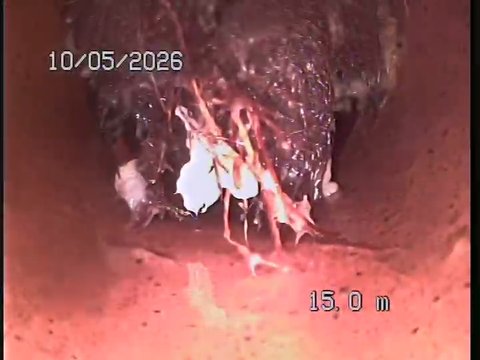
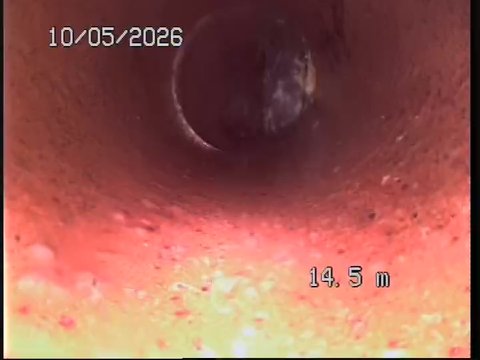
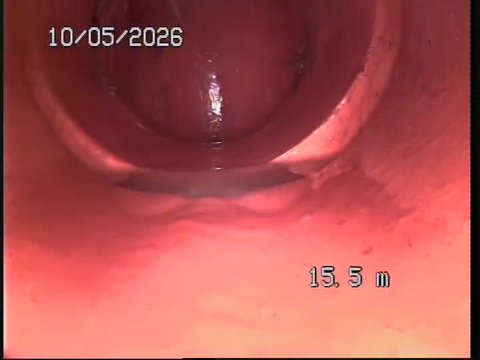
The finished report
Your customer doesn't want raw footage. They want to know what's wrong.
Tüvron turns the run into a clear explanation of the damage — what's wrong, where it is, and what to do about it.
- Every finding placed along the pipe.
- Plain English, graded 1–5.
- Your recommendation, clearly separated.
- An itemised quote, attached. They book from the same page — no second site visit.
Your logo, your details, your evidence — on every page.
The difference
Stop doing the same inspection twice.
The footage is only half the job. The report is what the customer pays for.
The old way
- Footage stays on the SD card
- Notes scribbled on your phone
- Photos to dig out and label
- The report typed up at 9pm
- A long video they can't follow
Report goes out tomorrow night. Maybe.
With Tüvron
- Footage opens straight from site
- Tap each defect as you watch it back
- Every mark lands with its own photo
- The report is written by the time you finish
- One branded link they can actually read
Report sent from the driveway.
How it works
Footage in. Report out.
Three steps, and they're the same three every time. Nothing to install, no new hardware, and the footage you already shoot.
Upload
Send up the file from the camera you already own — SD card, phone clip or screen recording. A full run is a big file, so give it a few minutes on 4G.
Mark
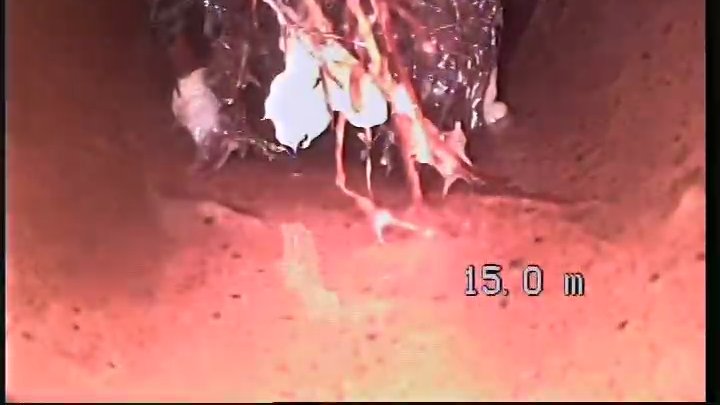
Watch the run back and mark each defect as you go. The chainage, the grade and the frame are captured with it.
Send
Send a branded report — with your itemised quote attached — as a secure link the customer opens on their phone.
Step 2, up close
See something, mark it, move on.
Play the run back. Every time you see something, stop, hit Mark, and check what it found. That's the whole job.
- It reads the counter. The metres come off the footage and it has a crack at what it's looking at. Hit Looks right, or Change if it got it wrong.
- Every mark keeps its metre. Click a finding later and it takes you back to the exact moment in the footage.
- Runs in the browser. Nothing to install. Laptop today, phone as well once we've finished testing it.
Why it pays
Turn more inspections into repair work.
Clear evidence makes the repair easy to understand — and easy to approve. Every recommendation is tied to a photo and an exact spot on the pipe.
Quote where the evidence is
Your price sits right under the evidence — and they can ask for a booking without picking up the phone.
Send what the big outfits send
Hand every customer a polished, branded report — the kind the major contractors put their name on.
Fits the tools you already run
Connect ServiceM8 and the job's customer, site address and contact pull straight in — no retyping.
Get your evenings back
The report is finished when the job is. Nothing to rebuild later, nothing carried into the weekend.
No expensive licences and no lock-in contracts. Free while it's in beta.
Why Tüvron exists
“I ran the camera all day, then rebuilt every inspection at the kitchen table that night. Tüvron is the tool I wanted in the van — mark it once, send it before you leave, and get your evening back.”
Straight answers
The questions every contractor asks first.
Starting with the one nobody asks out loud: it's your customer's job, and you're about to upload it to a business you'd never heard of this morning.
You control the customer's link
List every link you've sent, set one to expire, or revoke it outright. Revoking stops it working.
The reports stay yours
Export any report as a PDF whenever you like, and keep permanent access to every one you've made.
Uploads over 4G
A few minutes on a hotspot — and if the signal drops it picks up where it left off. Just leave the tab open.
Built and run in Australia
By a drainage contractor, for Australian drainage contractors — and a real person answers the email.
What is Tüvron?
Tüvron is CCTV drain inspection report software for plumbers and drain contractors. It turns drain camera footage into a branded, plain-English inspection report — every finding placed at its metre along the pipe with the CCTV frame beside it, a 1–5 condition grade, the contractor's own recommendation and an optional itemised quote — that is sent to the customer as a secure link before the contractor leaves site. It runs in the browser on a phone, tablet or laptop, and works with the footage from any drain camera that records video.
Who is Tüvron for?
Plumbers, drain contractors and relining crews who run a CCTV drain camera for residential and small commercial customers, and want to hand over the report the same day rather than write it up that night. It's built and run in Australia by a working drainage contractor.
Is the report a WSA 05, PACP or MSCC condition survey?
No. Tüvron produces a plain-English inspection report for the customer, not a coded condition survey. The 1–5 grade on each finding is the inspector's own assessment and is labelled as exactly that. It isn't a WSA, PACP or MSCC score and isn't presented as one.
Does Tüvron use AI?
Yes — on the paperwork, not on the inspecting. When you mark a defect it looks at the frame you paused on and suggests a type and grade, reads the distance counter burned into the footage, and on most phones lets you dictate the note instead of typing it. Every one of those is a starting point you accept, correct or reject, and nothing reaches the report until you have. It doesn't watch the run for you and it doesn't write your recommendation. You call the defects; Tüvron does the reporting.
Do you train AI on my customers' jobs?
The AI providers Tüvron uses don't — under the business terms we use they process a frame only to hand a result back, and never train their own models on it. When you confirm or correct a suggestion, we may keep that labelled example — a frame crop, the box, the defect type you settled on — to make Tüvron's own detection more accurate. It is never shared with another contractor or shown in anyone else's account, and if you'd rather your confirmed data wasn't used that way, email hello@tuvron.com and we'll exclude your account.
Does it work with my drain camera?
Yes — if your camera records video, Tüvron works with it. Use the file straight off the SD card, a screen recording, or footage captured on your phone. No special hardware, nothing to install in the van.
What do I actually use on site?
Whatever's already in the van. Tüvron runs in the browser on a phone, tablet or laptop — there's nothing to install and no app store. You pick the video file (straight off the camera's SD card, or a clip recorded on your phone), it uploads, and once it's ready you scrub through the run and mark the defects as you watch.
Do I need good internet on site?
Enough signal to send the video up. A phone hotspot does the job, but a full-length run is a big file, so expect a few minutes on 4G. If the connection drops mid-upload it waits and carries on from where it got to rather than starting the file again — just leave the tab open while it finishes. Somewhere with no coverage at all? Shoot the job, then upload and write it up the moment you're back in range. Still the same day, not next week.
Does it work with ServiceM8?
Yes. Connect your ServiceM8 account and Tüvron pulls the job's customer, site address and contact details straight in, so you're not typing them a second time. It's read-only — Tüvron never changes anything in your ServiceM8 account.
What does my customer actually get?
A secure link to a clean, branded report they can open on their phone — your logo, plain-English findings with photos, your recommendation, and an itemised quote if you've attached one. They can ask a question or request a booking from the same page. No app to install, no login, no 2 GB video attachment.
What does it cost?
Tüvron is free while it's in beta — no card required, and nothing to apply for. We're refining the reporting workflow with real plumbers before paid plans are introduced. Early testers will get founder pricing when plans launch, and you keep access to every report you've already made.
Got a question this doesn't answer? Talk to a human
Turn your next inspection into the repair job.
Evidence the customer understands, your price underneath it, sent while the job is still fresh — with your logo on the first report in minutes.
Free during beta · No card required · Nothing to install