Beta

Tüvron is free during beta. Founder pricing for early users.

How it works

From camera footage to customer report in 3 steps.

You've already done the inspection. Tüvron turns the footage into a report your customer can open on their phone and actually understand.
  1. The New inspection window. One big button, Add footage, and a line saying the upload starts straight away and keeps going in the background.
    Upload your footage
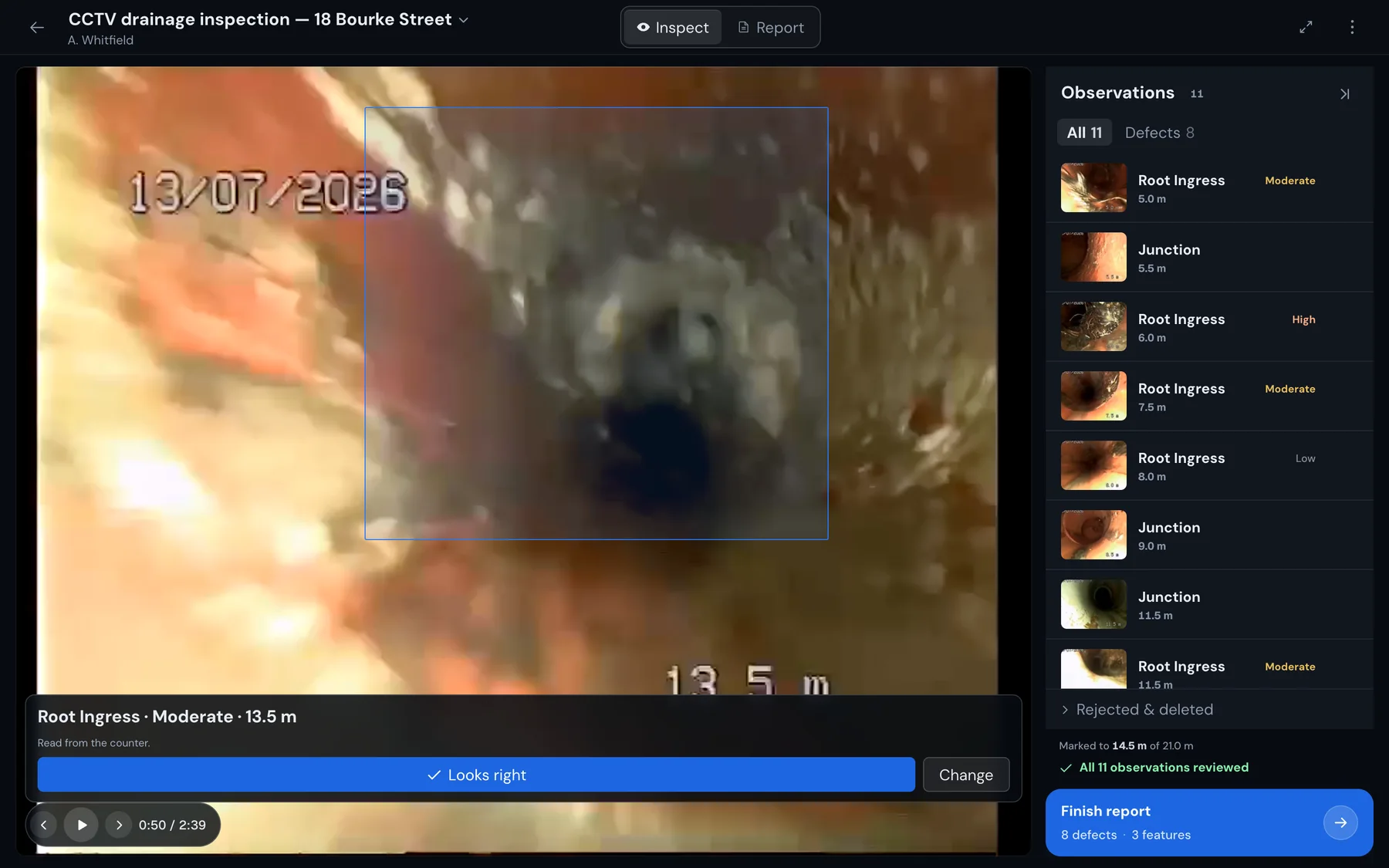
  2. The same workspace after hitting Mark: a box drawn around the roots on the paused frame, and under it a card reading Root Ingress, Moderate, 13.5 m, read from the counter, with a Looks right button and a Change button.
    Mark what you found
  3. The customer's report as it opens on a laptop: Joe Bloggs Plumbing's logo, phone, email, website and licence at the top, then Drain Inspection Report, the inspection date, the property, the client, the line inspected and the operator, then the outcome, Repair attention recommended, with the run drawn as a line and the issues marked along it.
    Send the report

Step 1

Upload your footage

Upload the CCTV footage from your computer or phone. Tüvron keeps the video with the report, so there's no massive file to send the customer later.
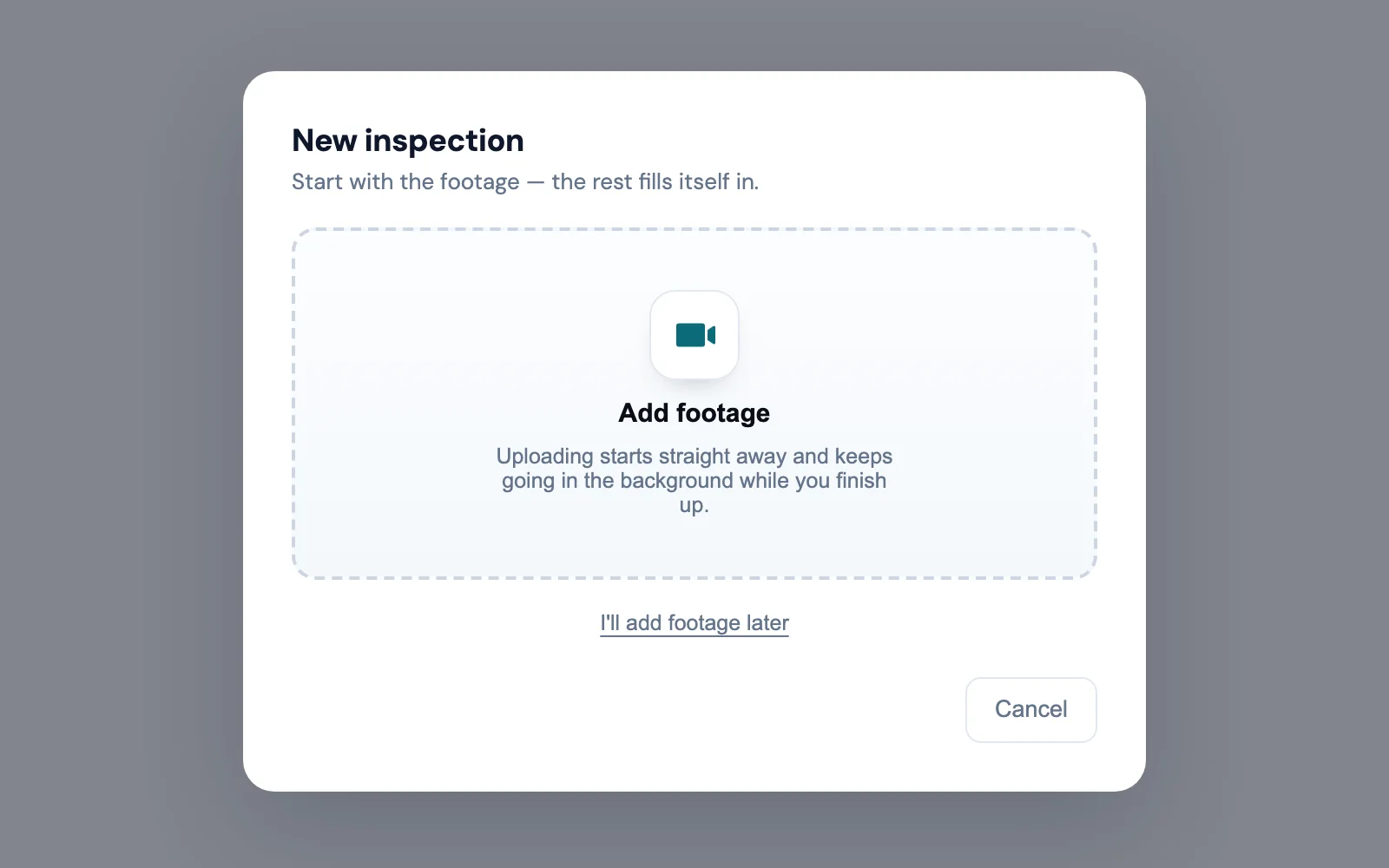
The New inspection window. One big button, Add footage, and a line saying the upload starts straight away and keeps going in the background.

Step 2

Mark what you found

Play the footage back. Every time you see something, there are three clicks.

Stop where you see something. Hit Mark.

The counter's on the footage, the observations you've already marked are down the side.

Check what it found. Hit Looks right.

It reads the metres off the counter and has a crack at what it's looking at. Hit Change if it got it wrong.

Say what needs doing.

When you're done marking, hit Finish report and pick the outcome. Add your recommendation and a price if you want them on the report.
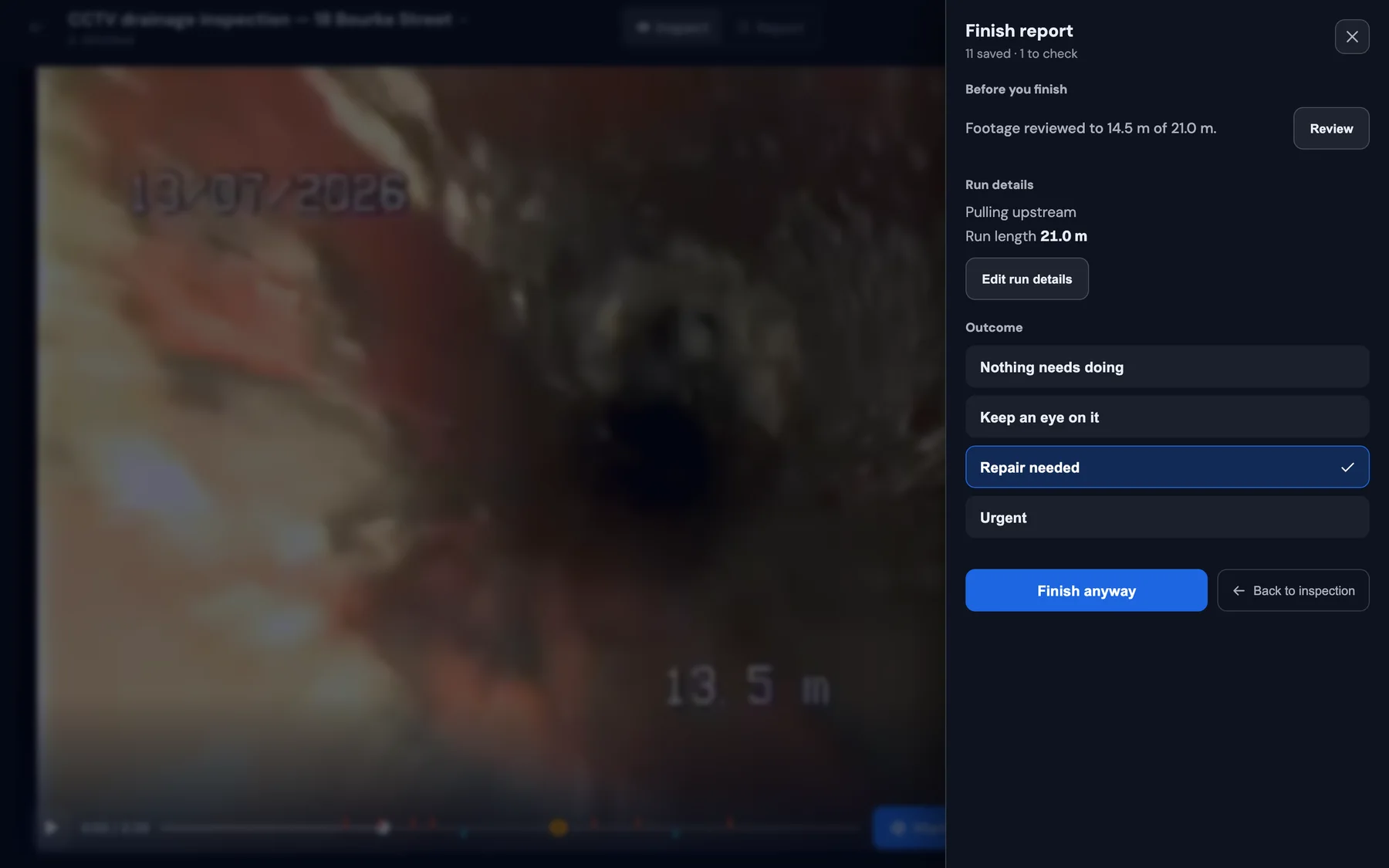
The Finish report panel over the workspace: run details, then the outcome choices Nothing needs doing, Keep an eye on it, Repair needed and Urgent, with Repair needed selected.

See something, mark it, move on.

Step 3

Send the report

The customer gets one link that opens on their phone. The footage, what you found, where it is, and what you recommend doing about it.

Instead of trying to explain a problem 14 metres down a drain over the phone, you show them. When they can see it and understand what needs doing, the conversation about the repair is a lot easier.

Open the full example report
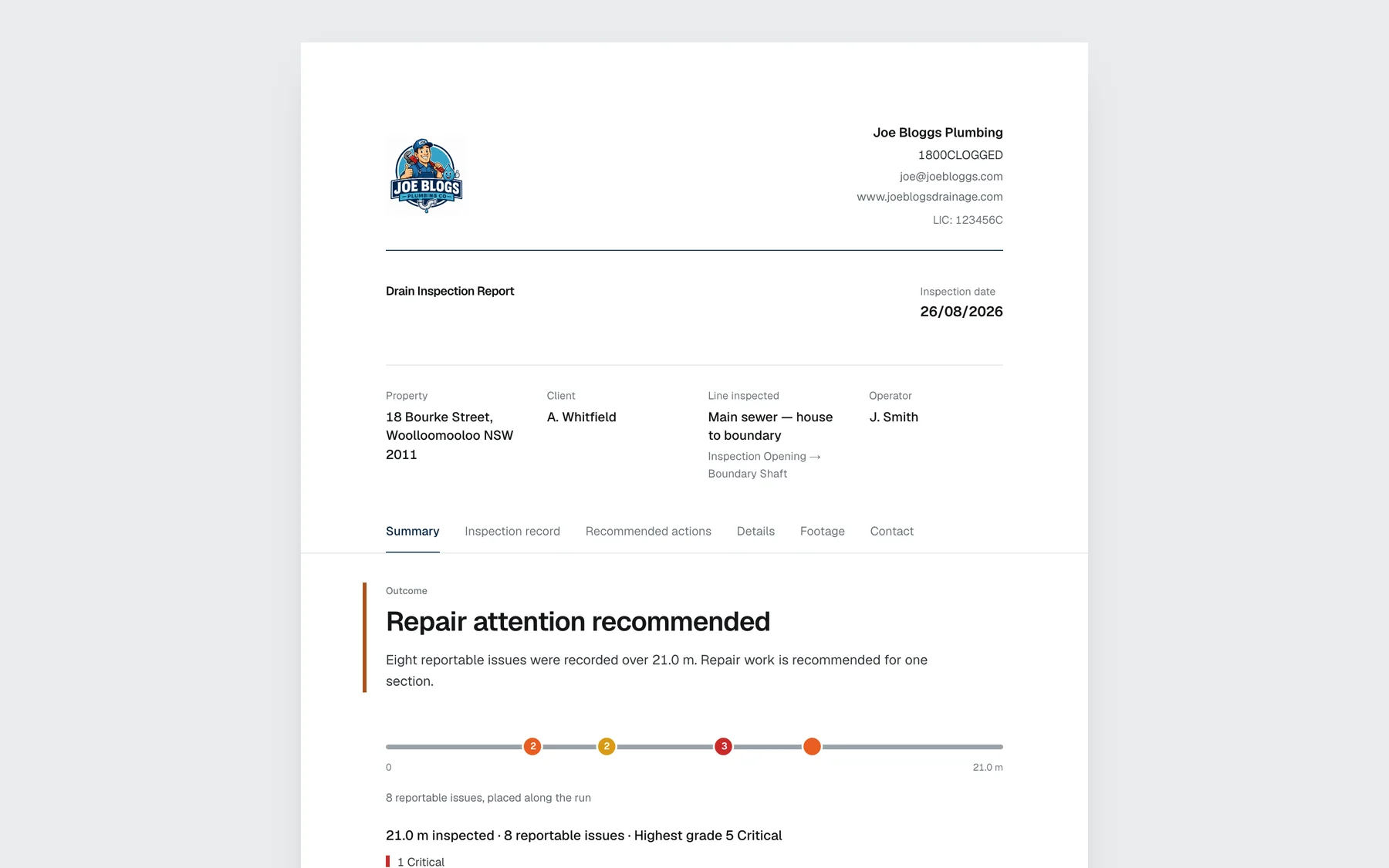
The customer's report as it opens on a laptop: Joe Bloggs Plumbing's logo, phone, email, website and licence at the top, then Drain Inspection Report, the inspection date, the property, the client, the line inspected and the operator, then the outcome, Repair attention recommended, with the run drawn as a line and the issues marked along it.
What opens: your business at the top, then the verdict and the run.
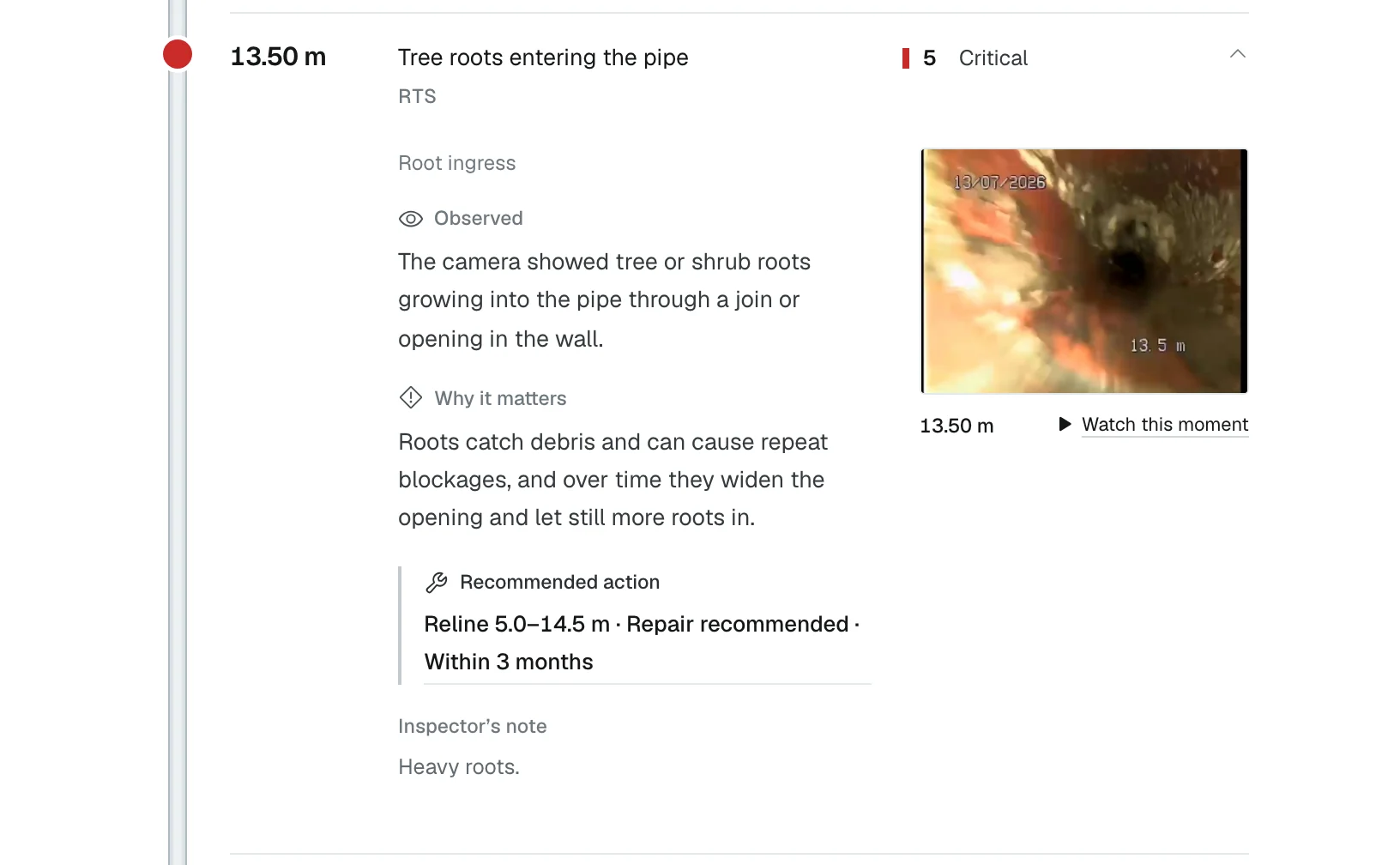
One finding in the customer's report: 13.50 m, tree roots entering the pipe, graded 5 Critical, the frame from the footage with a Watch this moment button, what was observed, why it matters, and the recommended action, reline 5.0 to 14.5 m within 3 months.
Each finding: the frame from the footage, what it means, and what you recommend.

Ready to try one? Create your first report

Try it on your next CCTV job.

Upload the footage when you get back. Mark it that night. Send one link.

Create your first report

See an example report