Drain inspection software
Drain inspection software that turns footage into the finished report.
Upload the run from any drain camera, scrub it on your phone, and box each defect where you see it. Tüvron records the metre, the grade and the frame against every mark — so when you reach the end of the footage, the inspection report is already written.
Takes about a minute — your email and your logo. No card.
Built by a drainage contractor · No card required · Works with your existing footage
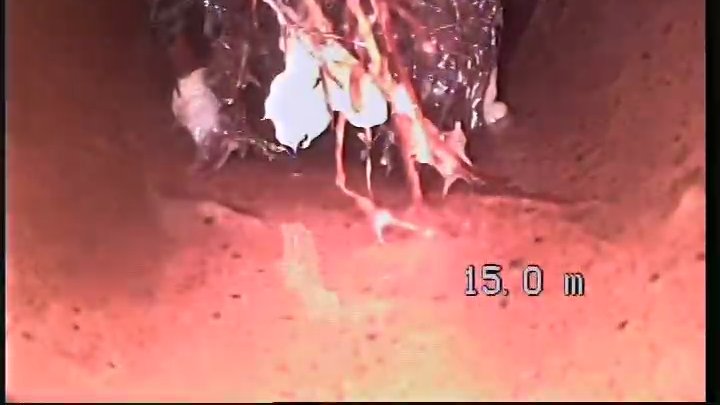
What it is
An inspection app that lives in the browser.
Tüvron is CCTV drain inspection report software for plumbers and drain contractors. It turns drain camera footage into a branded, plain-English inspection report — every finding placed at its metre along the pipe with the CCTV frame beside it, a 1–5 condition grade, the contractor's own recommendation and an optional itemised quote — that is sent to the customer as a secure link before the contractor leaves site.
It's drain camera inspection software for the contractor doing the work, not a CCTV survey coding suite: no PACP, WSA or MSCC coding to learn, no desktop licence, nothing to install. Open it on a phone, tablet or laptop and the footage is the workspace.
- Footage
- Any drain camera that records video. MP4 or MOV straight off the SD card, or a clip from your phone, are the usual ones.
- Marking
- Drag a box over the defect on the video. The mark keeps the metre, the 1–5 grade and the frame.
- Output
- A branded inspection report with a findings timeline, your recommendation and an optional quote — sent as a link, exportable as a PDF.
- Offline
- No. It needs enough signal to upload the run. No coverage? Shoot the job, upload when you're back in range.
Mark it as you watch
Every mark keeps its metre.
The chainage, the grade and the frame travel together, so the report and the video always agree. Tap a finding later and it takes you back to the exact moment in the footage.
- Box it where you see it. Drag a box over the defect and it carries the metre, the grade and the frame into the report.
- Metres into the pipe, recorded. Each finding is placed at its distance along the run. The burned-in counter on your footage can be read for you when you pause on a defect — you confirm it.
- On the phone already in your hand. It runs in the browser. Nothing to install, no app store, no second device to remember.

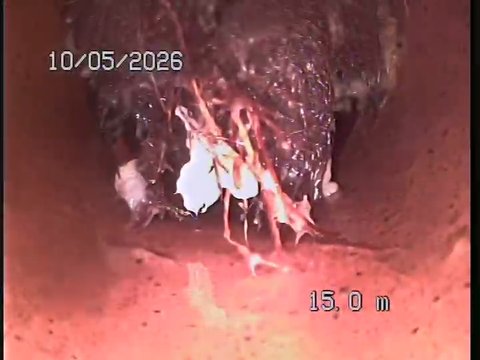
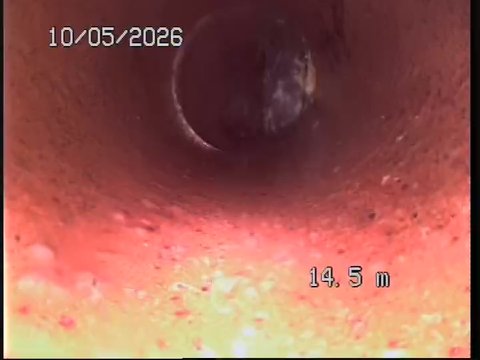
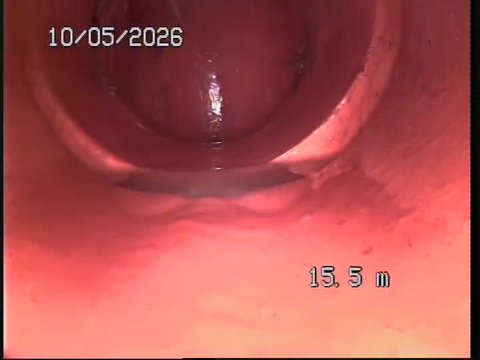
The finished report
The inspection becomes the report, not the notes for one.
No second pass at a desk. What you marked on site is what the customer reads: every finding at its metre with the frame beside it, your recommendation in its own section, your quote underneath.
- Findings timeline, metre by metre. The report walks the run in order — each observation at its exact distance, with the CCTV frame beside it.
- Plain English, with the frame. What's wrong, how serious it is on a clear 1–5 grade, and why it matters — written so the customer understands it.
- Your recommendation, clearly separated. Findings are what the camera recorded. Your repair advice sits in its own marked section — evidence first, so saying yes is easy.
How it works
Footage in. Report out.
If you can run a drain camera and send a text, you can finish an inspection with Tüvron.
Upload
Send up the file from the camera you already own — SD card, phone clip or screen recording. A full run is a big file, so give it a few minutes on 4G.
Mark
Watch the run back and mark each defect as you go. The chainage, the grade and the frame are captured with it.
Send
Send a branded report — with your itemised quote attached — as a secure link the customer opens on their phone.
Straight answers
What it does — and what it doesn't.
Fair questions to ask of inspection software you've never used, answered before you upload anything.
The grade is yours, and it says so
The 1–5 is your assessment as the inspector, labelled as exactly that — never dressed up as a WSA, PACP or MSCC score it isn't.
You control the customer's link
List every link you've sent, set one to expire, or revoke it outright. Revoking stops it working.
The reports stay yours
Export any report as a PDF whenever you like, and keep permanent access to every one you've made.
Uploads over 4G
A few minutes on a hotspot — and if the signal drops it picks up where it left off. Just leave the tab open.
Why Tüvron exists
“I ran the camera all day, then rebuilt every inspection at the kitchen table that night. Tüvron is the tool I wanted in the van — mark it once, send it before you leave, and get your evening back.”
Drain inspection report generator
See a real report with your logo on it. Right now.
Give us your website and we'll build a proper inspection report branded as your business — your logo, your details, a shareable link. No account, no card, about a minute. No website? Open the sample instead.
Straight answers
Questions contractors ask first.
Is Tüvron a drain inspection app?
Yes, in the sense that matters: it runs on your phone. It's a web app rather than an app-store download — open it in the browser on a phone, tablet or laptop, with nothing to install and always the current version.
Does it record the metres into the pipe?
Yes. Each finding is placed at its distance along the run, and the report walks the pipe metre by metre with the CCTV frame beside each observation. The burned-in distance counter on your footage can be read for you when you pause on a defect, and you confirm it before it goes in the report.
Can I go back to the exact moment in the footage?
Yes. Every finding keeps its timestamp as well as its metre. Tap a finding later and the video jumps back to the moment you marked it.
Does it work offline?
No. Tüvron needs enough signal to upload the footage, and the upload has to finish before marking starts. A phone hotspot does the job; with no coverage at all, shoot the job and upload it the moment you're back in range — still the same day, not next week.
Which video formats does it accept?
Any common video file your phone or laptop recognises — MP4 and MOV straight off the camera's SD card, or a phone recording, are the usual ones. The file is processed after upload so it scrubs smoothly on site, then you mark it.
Does it work with my drain camera?
Yes — if your camera records video, Tüvron works with it. Use the file straight off the SD card, a screen recording, or footage captured on your phone. No special hardware, nothing to install in the van.
Is the report a WSA 05, PACP or MSCC condition survey?
No. Tüvron produces a plain-English inspection report for the customer, not a coded condition survey. The 1–5 grade on each finding is the inspector's own assessment and is labelled as exactly that. It isn't a WSA, PACP or MSCC score and isn't presented as one.
Keep reading
Finish the inspection with the report already written.
Upload the run, mark it once, send the link — before you leave the driveway. Free during beta — your logo on the first report in minutes.
Free during beta · No card required · Founder pricing for early testers