AI-assisted reporting
AI-assisted CCTV drain reporting for plumbers.
The parts of a CCTV report that are pure typing — reading the metre off the counter, naming the defect, picking the grade — Tüvron's AI does for you to confirm. The inspection is still yours. The judgement is still yours. It just takes fewer taps.
Takes about a minute — your email and your logo. No card.
Built by a drainage contractor · No card required · Works with your existing footage
What it is
Assistive, and honest about it.
Tüvron is CCTV drain inspection report software for plumbers and drain contractors. It turns drain camera footage into a branded, plain-English inspection report — every finding placed at its metre along the pipe with the CCTV frame beside it, a 1–5 condition grade, the contractor's own recommendation and an optional itemised quote — that is sent to the customer as a secure link before the contractor leaves site.
Its AI features are assistive: they read and suggest, and a technician always confirms before anything goes in the report. It doesn't inspect the drain for you, it doesn't grade to a WSA, PACP or MSCC standard, and it doesn't write your recommendation. Some features are optional or switched off until enabled for your account.
- Reads
- The burned-in distance counter on your footage when you pause on a defect, so the metre on the finding matches the metre on the screen.
- Suggests
- A defect type and a 1–5 severity for the point you've marked, from a few frames around it — for you to accept, correct or reject.
- Sets up
- Your business name and contact details, picked out of your own website when you first sign up.
- Doesn't
- Detect defects on its own, code to a standard, write your advice, or let a third-party provider train on your footage.
Counter auto-read
The metre is read for you, and you confirm it.
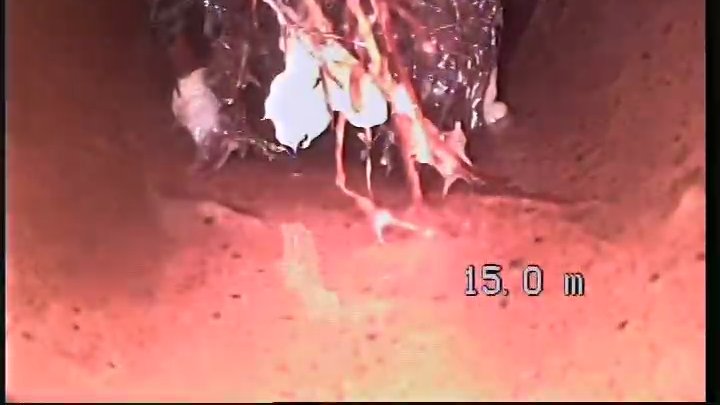
Pause on a defect and Tüvron reads the burned-in distance counter from the frame. The number is shown to you before it's saved — one look, one tap, and the finding is at the right metre.
- Metre from the footage, not from memory. No retyping the counter into a notes app. The distance on the finding is the distance on the screen.
- You confirm every reading. The digits are a suggestion until you tap. Wrong read on a dirty counter? Correct it and move on.
- Box it, and the frame comes with it. Drag a box over the defect and the frame, the metre and the grade travel into the report together.

Defect suggestions
Name the defect and pick the grade in one tap — or two.
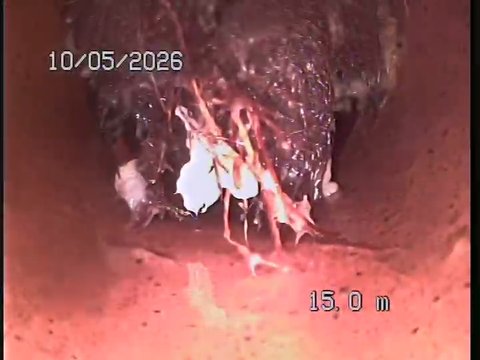
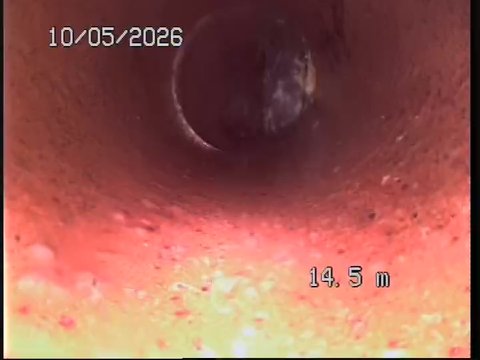
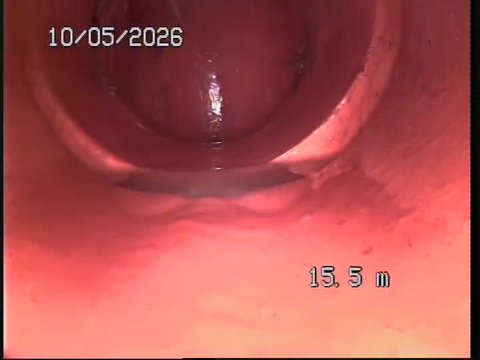
When you mark a point in the video, a few frames around it are looked at and a defect type and severity are suggested. Accept, correct or reject. The words in the report are still yours.
- A suggestion, not a verdict. Root ingress, crack, offset joint — with a proposed 1–5 grade. You keep, change or dismiss it.
- Plain English stays plain. The customer-facing description is written for them to understand — and you can edit every word.
- The grade is still yours. Whatever's suggested, the 1–5 that goes in the report is your assessment as the inspector, and the report says so.
Straight answers
What the AI does — and what it doesn't.
Fair questions to ask before you upload a paying client's footage to anything with "AI" on it.
A technician always confirms
Nothing an AI feature reads or suggests goes into a report until you accept it. It assists; it doesn't decide.
Your footage isn't training someone else's model
The AI providers we use process content only to return a result and, under the business terms we use, don't train on it. All processing is server-side.
No standard is claimed
Suggestions aren't WSA 05, PACP or MSCC codes and aren't presented as them. The grade is the inspector's own.
Optional, and off until enabled
Several AI features are optional or switched off until enabled for your account. You can run Tüvron without them.
Why Tüvron exists
“I ran the camera all day, then rebuilt every inspection at the kitchen table that night. Tüvron is the tool I wanted in the van — mark it once, send it before you leave, and get your evening back.”
Straight answers
Questions contractors ask first.
Does AI write the report?
No. Tüvron builds the report's structure from what you mark on the video, and its AI features read the counter and suggest a defect type and grade for you to confirm. The observations, the grade that goes in the report and the recommendation are yours.
Does it detect defects automatically?
Not on its own. You mark the point in the footage; a few frames around it are then looked at and a defect type and severity are suggested for you to accept, correct or reject. It doesn't scan the whole run and mark defects for you.
Is my footage used to train third-party AI models?
No. The AI providers Tüvron uses process the content only to return a result and, under the business terms we use, do not train their own models on it. All AI processing happens server-side. When a technician confirms or corrects a suggestion, that labelled example may be kept to improve Tüvron's own detection and reading models — see the privacy policy.
Can I turn it off?
Several AI features are optional or switched off until enabled for your account, and every suggestion can be dismissed. Tüvron works as a reporting tool without them.
Does it work with my drain camera?
Yes — if your camera records video, Tüvron works with it. Use the file straight off the SD card, a screen recording, or footage captured on your phone. No special hardware, nothing to install in the van.
Is the report a WSA 05, PACP or MSCC condition survey?
No. Tüvron produces a plain-English inspection report for the customer, not a coded condition survey. The 1–5 grade on each finding is the inspector's own assessment and is labelled as exactly that. It isn't a WSA, PACP or MSCC score and isn't presented as one.
Keep reading
Fewer taps. Same judgement.
Mark it once, confirm the reads, send the link — before you leave the driveway. Free during beta — your logo on the first report in minutes.
Free during beta · No card required · Founder pricing for early testers